

Overview

Description

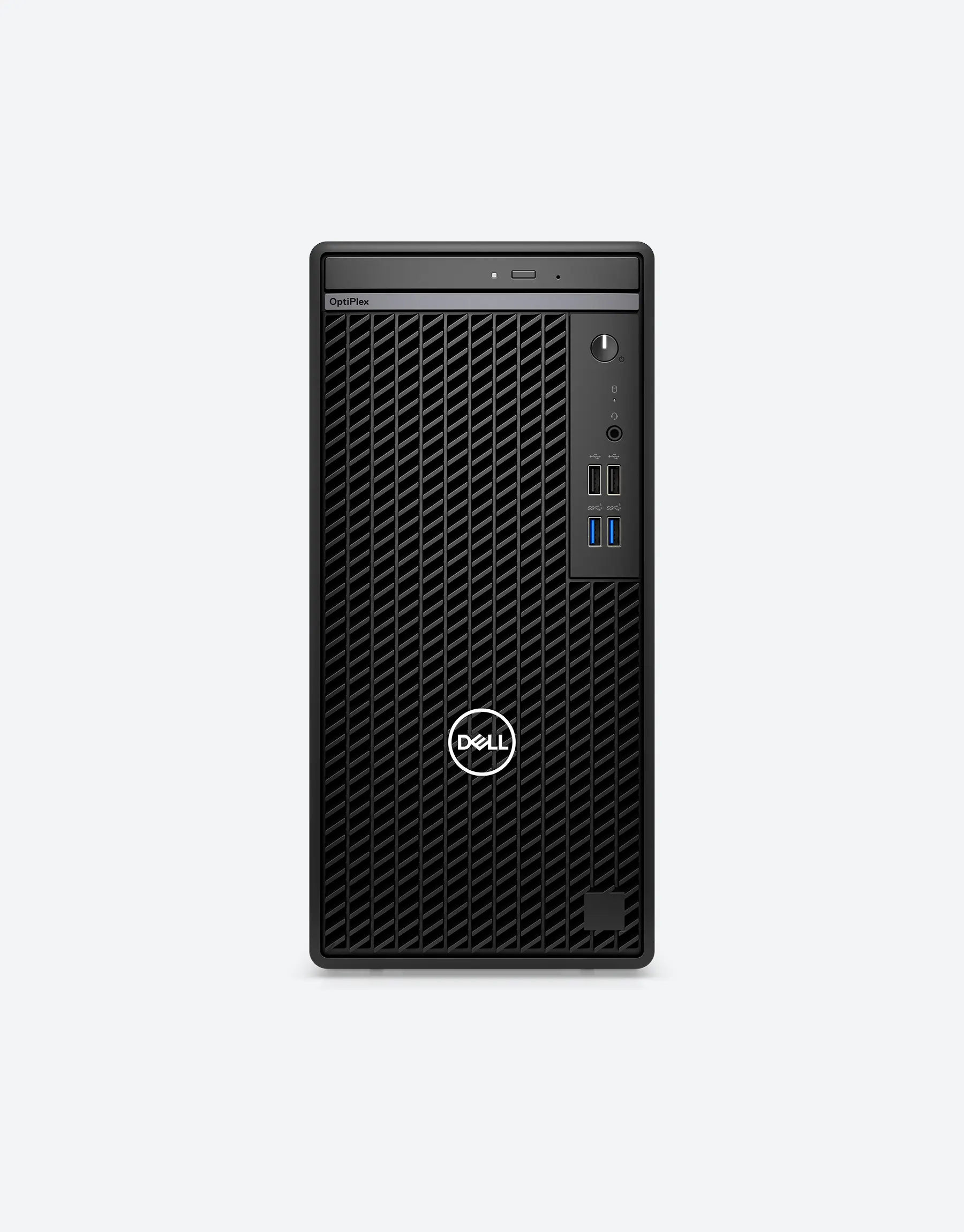
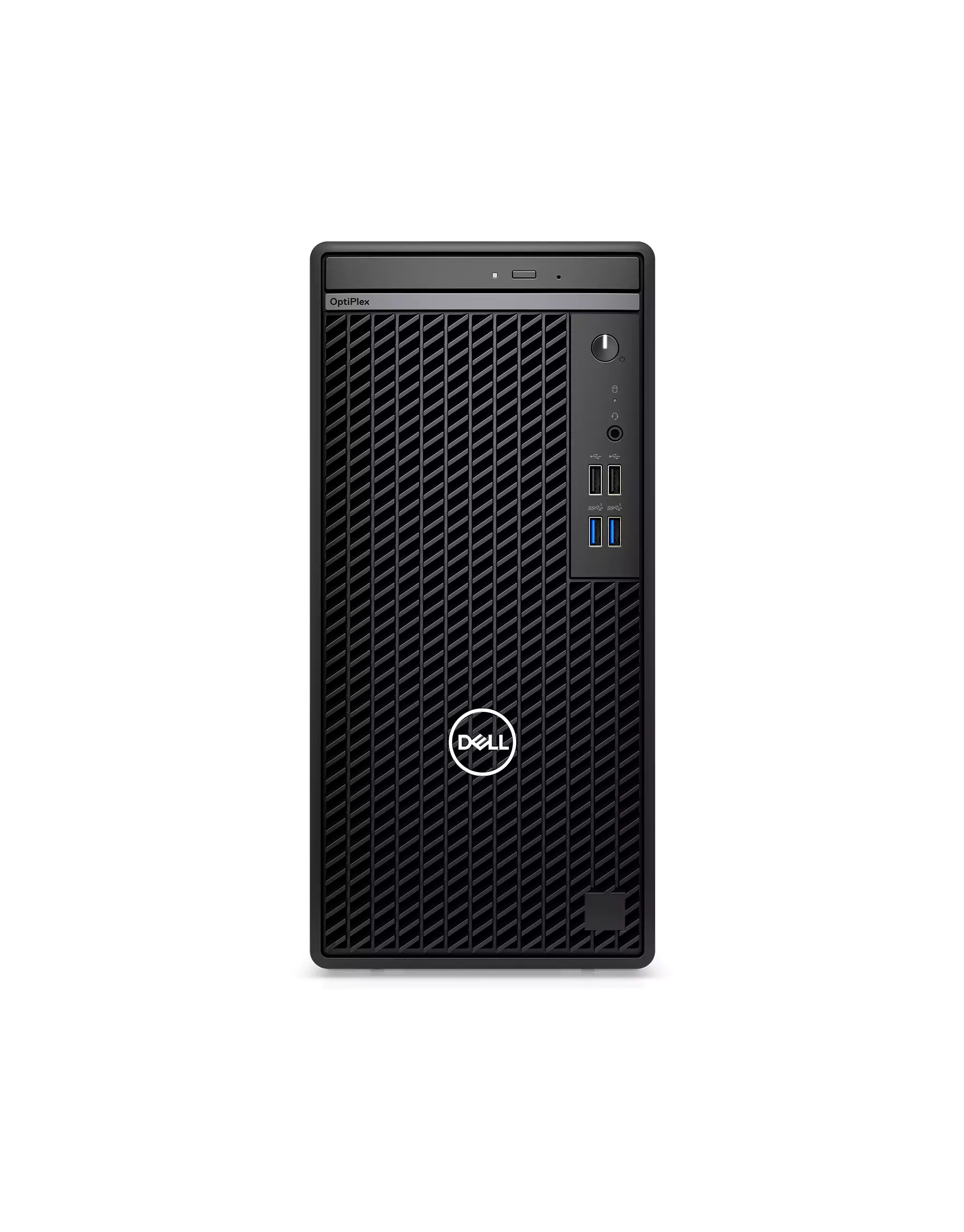
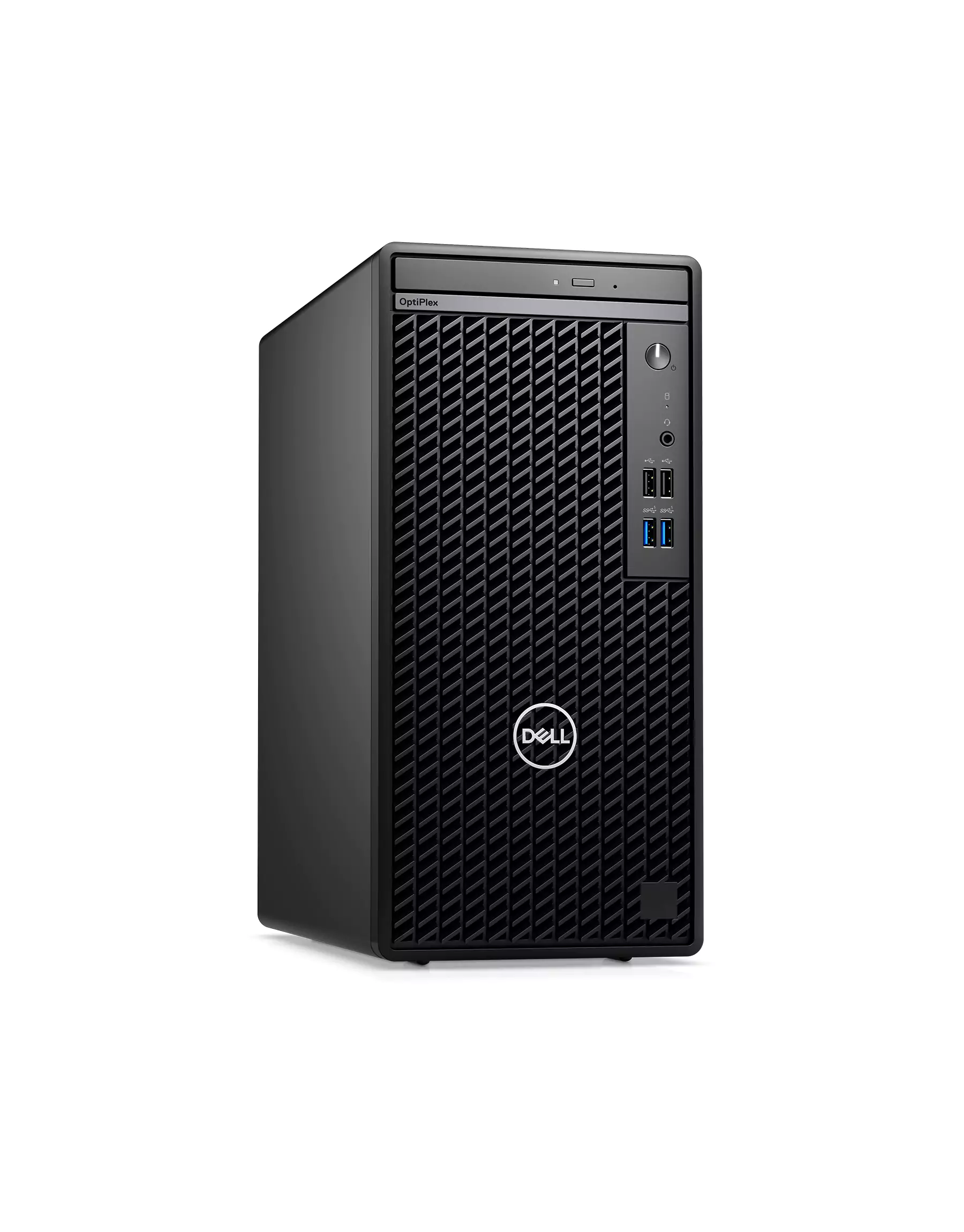
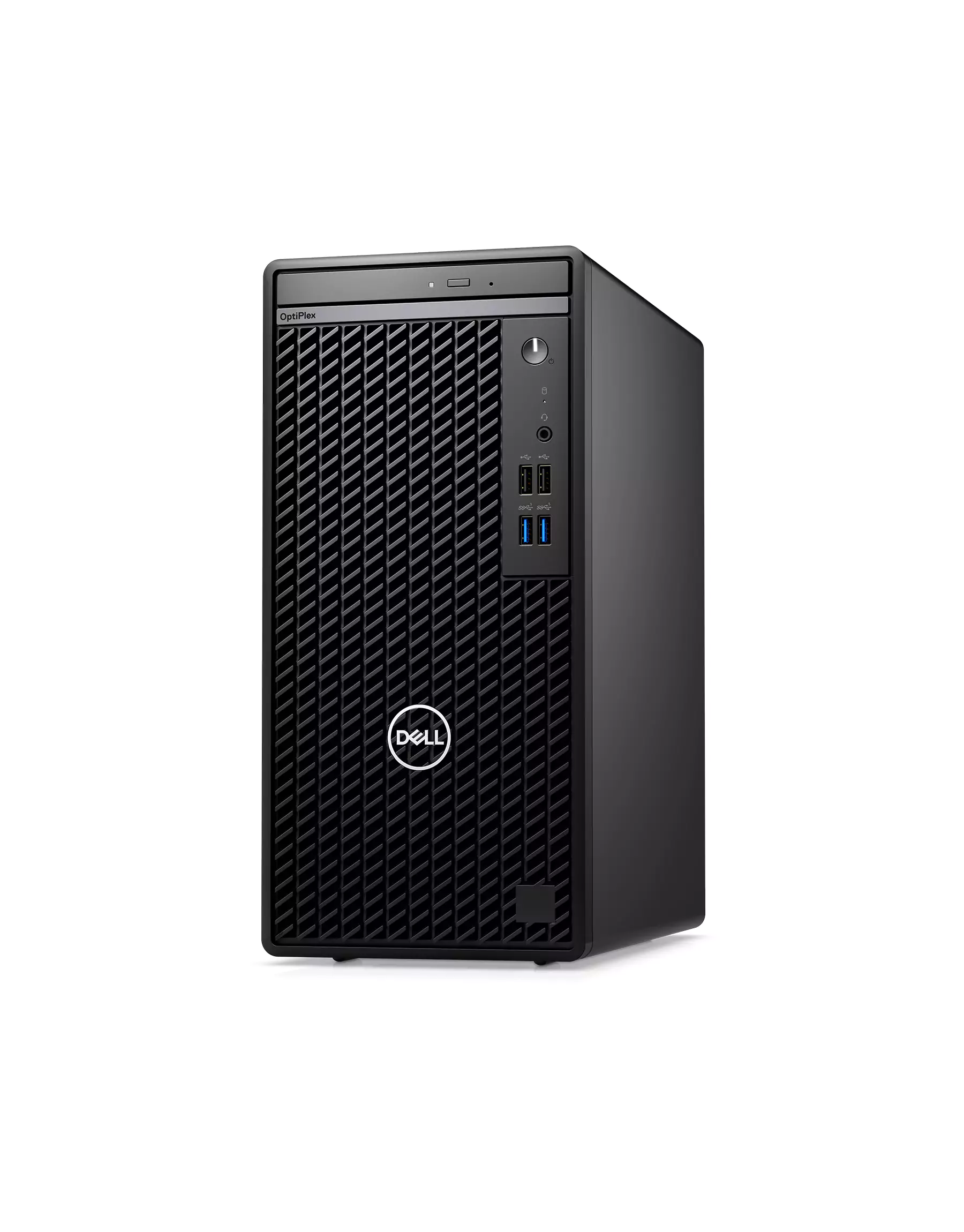
Dell OptiPlex 7020 Plus

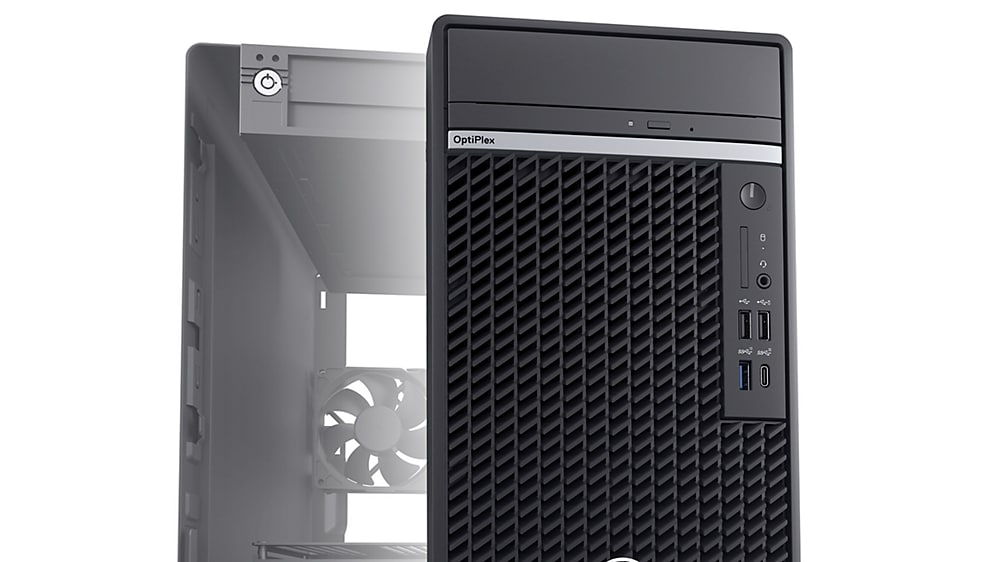
optiplex d13 tower pdp mod03a.psd?wid=1000&hei=562&fmt=png alpha&qlt=100%2c0&op usm=1.75%2c0

Future-ready DDR5 memory
Up to 128GB DDR5 with speeds up to 5600 MT/s means more multitasking capabilities and smoother transitions between applications.

desktop optiplex d13 5 7020 mff luxor plus thermals.psd?wid=1000&hei=562&fmt=png alpha&qlt=100%2c0&op usm=1.75%2c0

Improved thermals and acoustics
New thermal options allow you to set the system in quiet mode.

desktop optiplex d13 5 7020 tower alexandria sustainability cropped.psd?wid=1000&hei=562&fmt=png alpha&qlt=100%2c0&op usm=1.75%2c0

Discrete graphics
Enjoy a smooth viewing experience, free of refresh interruptions.

desktop optiplex d13 5 7020 tower alexandria get the most.psd?wid=1920&hei=1080&fmt=png alpha&qlt=100%2c0&op usm=1.75%2c0

Get the most out of your OptiPlex

Supports 4 displays: Integrated graphics support for up to 4 simultaneous displays with up to 4K resolution.

Stunning views: Experience 5K resolution with optional DisplayPort.

Immersive content: Next generation discrete graphics, ready for graphic intense workloads and rich content.

Stay in your flow: Work without interruption with devices that seamlessly connect and interact. Your OptiPlex workspace pairs perfectly with Dell Wireless Headset, Dell Speakerphone and Dell UltraSharp webcam.

desktop optiplex d13 5 7020 tower alexandria plus image right.psd?wid=1920&hei=1080&fmt=png alpha&qlt=100%2c0&op usm=1.75%2c0

Modern device management

Protect endpoints, optimize the health & performance across devices, and enhance productivity.
Single BIOS strategy: OptiPlex makes it easier for IT admins to manage numerous devices. OptiPlex offers one BIOS for All-in-Ones, and one BIOS across Towers, Small Form Factors and Micro Form Factors.

Dell Manageability Solutions: Designed to allow IT admins to deploy drivers, configure BIOS, monitor devices, and manage updates – reliably and easily, all while integrating with existing endpoint management solutions. Dell offers the industry’s first Binary Large Object (BLOB) package-based solution, for securely configuring & managing endpoints, using Microsoft Intune.

Dell Trusted Update Experience: All new offering simplifies the update experience for your fleet of devices. We package the latest BIOS, drivers, and firmware versions for our customers – with Dell-exclusive capabilities.

desktop optiplex d13 7010 tower pdp mod06.psd?wid=1920&hei=1080&fmt=png alpha&qlt=100%2c0&op usm=1.75%2c0

Dell Trusted Devices

Reduce the Attack Surface of Your Fleet with OptiPlex.

OptiPlex is a part of the industry’s most secure commercial PC family from Dell, with built-in security features that keep you protected and give you visibility to threats for swift action. OptiPlex customers trust our secure desktop solutions, featuring TPM 2.0, lockable cable covers and mounts, smart authentication options and chassis intrusion switches.​

Ports & Slots

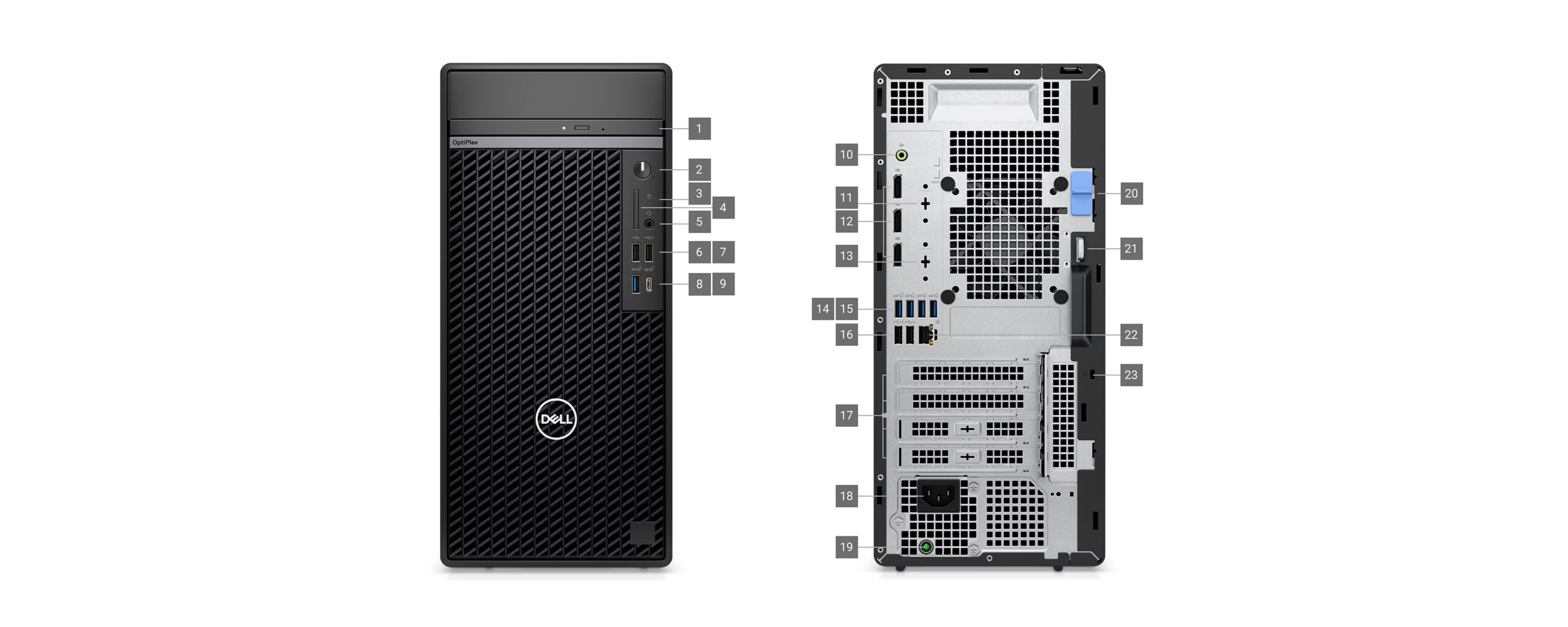
1. Optical Disc Drive (optional)
2. Power Button
3. Storage Activity Light
4. SD Card Slot (optional)
5. Universal Audio Jack
6. USB 2.0 Port
7. USB 2.0 Port with PowerShare
8. USB 3.2 Gen 2 Port
9. USB 3.2 Gen 2×2 Type-C Port
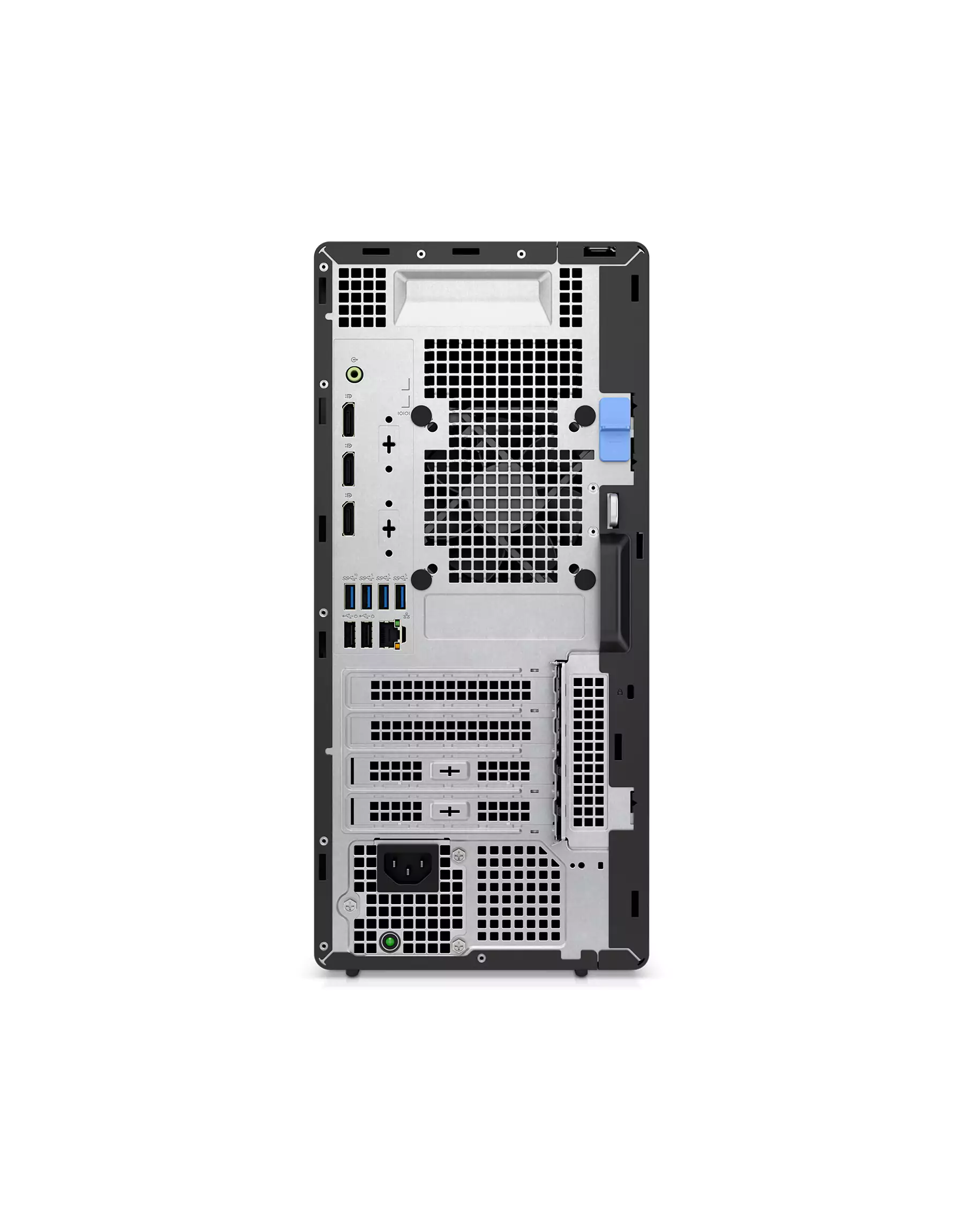
10. Line-out/Line-in Audio Port

11. Serial Port (optional)
12. 3x DisplayPort 1.4a Ports
13. Video Port (optional)

  • HDMI 2.1
  • DisplayPort 1.4a
  • VGA
  • USB Type-C with DisplayPort

14. USB 3.2 Gen 2 Type-A Port
15. 3x USB 3.2 Gen 1 Type-A Port
16. 2x USB 2.0 with SmartPower On
17. 4x Expansion Slots
18. Power Cord Connector
19. Power Supply Diagnostic Light
20. Release Latch
21. Padlock Ring
22. RJ-45 Ethernet
23. Kensington Security Cable Slot

Dimensions & Weight

1. Height: 14.45 in. (367.00 mm)
2. Depth: 11.84 in. (300.80 mm)
3. Width: 6.65 in. (169.00 mm)

Weight (min): 13.07 lbs. (5.93 kg)
Weight (max): 21.24 lbs. (9.63 kg)

Delivery & Return

Dell OptiPlex 7020 Plus

optiplex d13 tower pdp mod03a.psd?wid=1000&hei=562&fmt=png alpha&qlt=100%2c0&op usm=1.75%2c0

Future-ready DDR5 memory
Up to 128GB DDR5 with speeds up to 5600 MT/s means more multitasking capabilities and smoother transitions between applications.

desktop optiplex d13 5 7020 mff luxor plus thermals.psd?wid=1000&hei=562&fmt=png alpha&qlt=100%2c0&op usm=1.75%2c0

Improved thermals and acoustics
New thermal options allow you to set the system in quiet mode.

desktop optiplex d13 5 7020 tower alexandria sustainability cropped.psd?wid=1000&hei=562&fmt=png alpha&qlt=100%2c0&op usm=1.75%2c0

Discrete graphics
Enjoy a smooth viewing experience, free of refresh interruptions.

desktop optiplex d13 5 7020 tower alexandria get the most.psd?wid=1920&hei=1080&fmt=png alpha&qlt=100%2c0&op usm=1.75%2c0

Get the most out of your OptiPlex

Supports 4 displays: Integrated graphics support for up to 4 simultaneous displays with up to 4K resolution.

Stunning views: Experience 5K resolution with optional DisplayPort.

Immersive content: Next generation discrete graphics, ready for graphic intense workloads and rich content.

Stay in your flow: Work without interruption with devices that seamlessly connect and interact. Your OptiPlex workspace pairs perfectly with Dell Wireless Headset, Dell Speakerphone and Dell UltraSharp webcam.

desktop optiplex d13 5 7020 tower alexandria plus image right.psd?wid=1920&hei=1080&fmt=png alpha&qlt=100%2c0&op usm=1.75%2c0

Modern device management

Protect endpoints, optimize the health & performance across devices, and enhance productivity.
Single BIOS strategy: OptiPlex makes it easier for IT admins to manage numerous devices. OptiPlex offers one BIOS for All-in-Ones, and one BIOS across Towers, Small Form Factors and Micro Form Factors.

Dell Manageability Solutions: Designed to allow IT admins to deploy drivers, configure BIOS, monitor devices, and manage updates – reliably and easily, all while integrating with existing endpoint management solutions. Dell offers the industry’s first Binary Large Object (BLOB) package-based solution, for securely configuring & managing endpoints, using Microsoft Intune.

Dell Trusted Update Experience: All new offering simplifies the update experience for your fleet of devices. We package the latest BIOS, drivers, and firmware versions for our customers – with Dell-exclusive capabilities.

desktop optiplex d13 7010 tower pdp mod06.psd?wid=1920&hei=1080&fmt=png alpha&qlt=100%2c0&op usm=1.75%2c0

Dell Trusted Devices

Reduce the Attack Surface of Your Fleet with OptiPlex.

OptiPlex is a part of the industry’s most secure commercial PC family from Dell, with built-in security features that keep you protected and give you visibility to threats for swift action. OptiPlex customers trust our secure desktop solutions, featuring TPM 2.0, lockable cable covers and mounts, smart authentication options and chassis intrusion switches.​

Ports & Slots

1. Optical Disc Drive (optional)
2. Power Button
3. Storage Activity Light
4. SD Card Slot (optional)
5. Universal Audio Jack
6. USB 2.0 Port
7. USB 2.0 Port with PowerShare
8. USB 3.2 Gen 2 Port
9. USB 3.2 Gen 2×2 Type-C Port
10. Line-out/Line-in Audio Port

11. Serial Port (optional)
12. 3x DisplayPort 1.4a Ports
13. Video Port (optional)

  • HDMI 2.1
  • DisplayPort 1.4a
  • VGA
  • USB Type-C with DisplayPort

14. USB 3.2 Gen 2 Type-A Port
15. 3x USB 3.2 Gen 1 Type-A Port
16. 2x USB 2.0 with SmartPower On
17. 4x Expansion Slots
18. Power Cord Connector
19. Power Supply Diagnostic Light
20. Release Latch
21. Padlock Ring
22. RJ-45 Ethernet
23. Kensington Security Cable Slot

Dimensions & Weight

1. Height: 14.45 in. (367.00 mm)
2. Depth: 11.84 in. (300.80 mm)
3. Width: 6.65 in. (169.00 mm)

Weight (min): 13.07 lbs. (5.93 kg)
Weight (max): 21.24 lbs. (9.63 kg)